Home › Resources › Employee not returning a company laptop
What to Do If an Employee Doesn't Return Their Company Laptop
The short answer: start by making the return as easy as possible and sending a friendly reminder. If that doesn't work, set a clear deadline in writing that refers to the equipment terms in their contract or policy. Protect company data straight away, and take HR or employment advice before considering deductions from pay or any legal action.
When a company laptop doesn't come back, it's tempting to assume the worst. In practice, most unreturned laptops are a logistics problem rather than a refusal: the employee doesn't have a box, can't print a label, or simply hasn't prioritised it after leaving. Starting from that assumption usually gets the device back fastest.
Why company laptops don't come back
- The employee has no suitable packaging and doesn't want to be blamed for damage.
- They don't have a printer, so a label emailed as a PDF is a barrier.
- The instructions were unclear — or there were no instructions at all.
- The request was made after they left, when it's no longer a priority for them.
- They've moved and the request went to an old address.
Step 1: Make returning it as easy as possible
Remove every obstacle you can. Send protective packaging and a prepaid, tracked return label so the employee only has to pack the laptop and drop it off. Confirm the address you're sending to, and tell them exactly what needs to come back. Our guide on how to get a laptop back from a remote employee covers this in more detail.
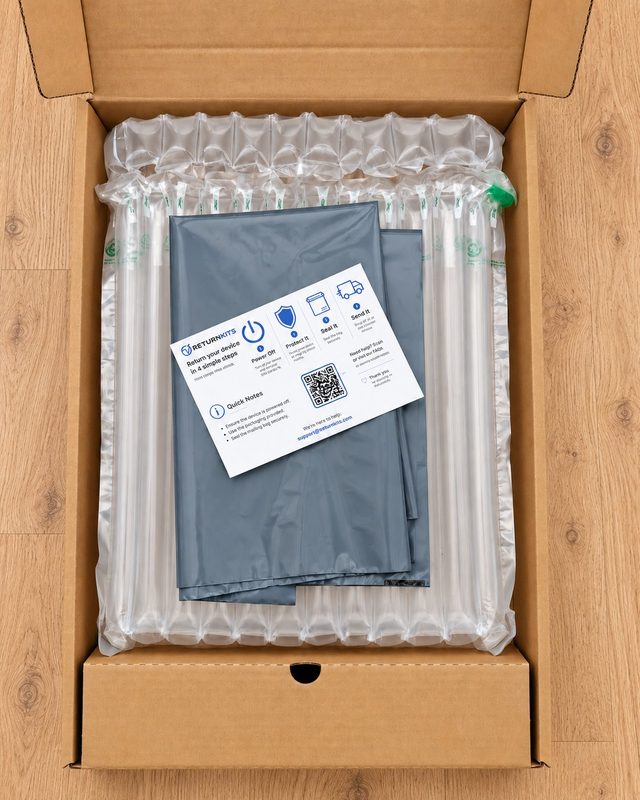
Need to get a company laptop back?The Laptop Return Kit (£65) sends protective packaging and a prepaid Royal Mail return label straight to your employee. It's dispatched within 1 business day, tracking details are sent to you by email, and no account is needed.
Step 2: Send written reminders with a clear deadline
If the laptop hasn't been sent a few days after your original date, send a polite reminder by email with a new, specific deadline. If that is also missed, a firmer written follow-up should:
- list the equipment that hasn't been returned;
- refer to the relevant clause in their contract or IT policy;
- restate how to return it, and that postage is already paid;
- give a final date and explain what you'll do if it isn't returned.
Keep a record of every message and any tracking information. It's useful if the matter needs to be escalated.
Step 3: Protect company data
Don't wait for the laptop to come back before securing your data. Disable the person's accounts and change any shared credentials they had access to. If your laptops are enrolled in a device management (MDM) tool such as Microsoft Intune or Jamf, you may be able to lock or wipe the device remotely — follow your own IT and data policies when deciding whether to do this.
Step 4: Check your contract and policies
Look at what the employee agreed to: whether equipment must be returned on request or on leaving, whether the contract mentions recovering the cost of unreturned equipment, and what your disciplinary or leaver processes say. This determines which options are actually open to you.
Step 5: Know when to take advice
Deductions from pay are tightly regulated in the UK, and the right approach depends on your contract wording and the circumstances. Before deducting the cost of a laptop from final pay, or starting any legal action, speak to your HR team or an employment adviser. Acas offers free, impartial advice to employers in Great Britain.
Preventing it next time
- Include a clear equipment-return clause in contracts and your IT policy.
- Keep an up-to-date asset register that records who holds which device.
- Start the return before the employee's last day, not after.
- Send packaging and a prepaid label rather than asking employees to arrange it themselves.
Our remote employee laptop return checklist and employee offboarding checklist can help you build this into your process.
Frequently asked questions
Can I deduct the cost of an unreturned laptop from final pay?
It depends on your contract wording and the circumstances, and deductions from pay are tightly regulated in the UK. Take advice from HR or an employment adviser, such as Acas, before deducting anything.
How long should I wait before escalating?
Many businesses send a friendly reminder a few days after the original deadline, then a firmer written notice with a final date. Agree a consistent timescale in your own policy so every case is handled the same way.
What if the employee says they've already posted it?
Ask for the tracking number or proof of postage and check it with the carrier. Using a prepaid, tracked label you've provided avoids this problem, because you can see the tracking yourself.
What if the laptop comes back damaged?
Record the damage with photos when it arrives and check whether it happened in transit. If the parcel was sent with transit cover, follow the claims process for that service.