Home › Resources › Remote employee laptop return checklist
Remote Employee Laptop Return Checklist
Use this checklist whenever you need a laptop back from someone working remotely — a leaver, a hardware refresh or a repair. It's split into stages so IT and HR can see who does what.
Before you request the return
- Confirm the device's make, model and serial number or asset tag.
- List any accessories that also need to come back (charger, dock, peripherals).
- Confirm the employee's current postal address.
- Note their last working day, if they're leaving.
- Decide where the laptop should be returned to (office, IT hub or partner).
- Check the equipment-return wording in their contract or IT policy.
- Agree who owns the return — usually IT, with HR kept informed for leavers.
Arranging the return
- Choose a method: hand-in, a courier you book, or a return kit (compare the options).
- Make sure protective packaging is provided — not left to the employee.
- Use a prepaid, tracked return label so the employee has nothing to pay or print.
- Send the request in writing with a specific return date.
- Record the request date and the tracking number against the employee.
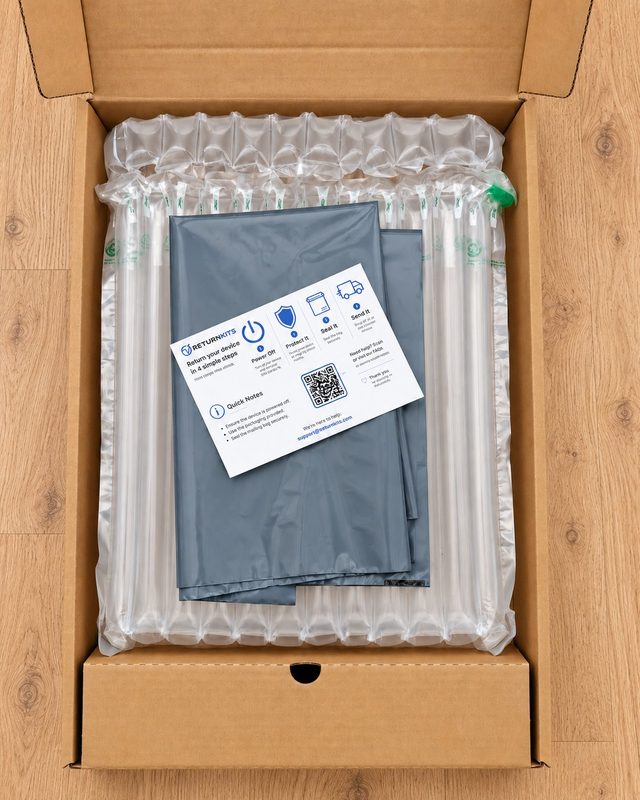
Need to get a company laptop back?The Laptop Return Kit (£65) sends protective packaging and a prepaid Royal Mail return label straight to your employee. It's dispatched within 1 business day, tracking details are sent to you by email, and no account is needed.
What to ask the employee to do
- Power the laptop off fully before packing it.
- Include the charger and any other accessories you've listed.
- Remove personal items, media or stickers they want to keep.
- Not to factory-reset the laptop unless IT has asked them to.
- Use the packaging provided and seal it securely.
- Send it by the agreed date, and tell you if anything goes wrong.
Tracking the return
- Check the tracking a few days after the return date.
- Send a friendly reminder if it hasn't moved.
- Keep a record of every reminder sent.
- If it still hasn't come back, follow the steps in what to do if an employee doesn't return their company laptop.
When the laptop arrives
- Check the serial number or asset tag matches your records.
- Inspect the condition and photograph any damage.
- Check the charger and accessories are included.
- Confirm receipt to the employee or former employee.
Closing it off
- Update your asset register.
- Wipe, reimage, redeploy or dispose of the laptop in line with your IT and data policies.
- Confirm the employee's accounts and access have been removed.
- File the return record with the employee's leaver paperwork.
For the wider offboarding process — accounts, payroll and paperwork as well as equipment — use our full employee offboarding checklist. For a step-by-step explanation of the return itself, see how to get a laptop back from a remote employee.
Frequently asked questions
When should a laptop return be arranged for a leaver?
As soon as you know their last working day. Sending packaging and a label a week or so before they leave means the laptop can come back on or around their final day, while they're still engaged.
Who should own the laptop return, IT or HR?
Usually IT, because they track the asset and handle the device when it comes back. HR should be kept informed for leavers so the return fits into the wider offboarding process.
Does the same checklist work for phones and monitors?
Yes — the stages are the same. The packaging differs by device, so make sure it's suitable. ReturnKits also has a Phone Return Kit and a Monitor Return Kit.